Buscar en moleculax

Este blog es un ensayo digital donde el pensamiento estructurado se encuentra con la introspección profunda. Explora la arquitectura del conocimiento: desde lo técnico hasta los fundamentos éticos. Aquí, cada algoritmo tiene propósito, cada línea de código refleja intención, y cada reflexión filosófica busca optimizar no solo sistemas, sino también decisiones humanas. Este blog no solo enseña a pensar, enseña a discernir, a construir con sentido. Porque el verdadero desarrollo nace de la conciencia, y eso exige precisión, virtud y coraje.

Tenemos que aprender a contemplar las potenciales consecuencias de nuestros planes, para impedir que nos sorprendan. De esta manera, tendremos más control sobre las situaciones difíciles ya que el verdadero progreso no se mide por la velocidad con la que avanzamos, sino por la dirección que elegimos. En un mundo cada vez más interconectado, el desarrollo de la humanidad exige más que tecnología y conocimiento: requiere conciencia, empatía y propósito.

Debemos cultivar una inteligencia que no solo resuelva problemas, sino que los prevenga con sabiduría. Una ciencia que no solo descubra, sino que se pregunte por qué y para quién. Una economía que no solo crezca, sino que reparta con justicia. Y una cultura que no solo celebre lo diverso, sino que lo abrace como fuerza vital.

Cada decisión que tomamos, cada palabra que decimos, cada idea que compartimos, puede ser una semilla de transformación. El futuro no está escrito: lo estamos escribiendo juntos, ahora mismo.

Que el desarrollo humano sea integral, sostenible y profundamente humano. Porque solo cuando elevamos a todos, nos elevamos como especie.

Sabiduría Justicia Templanza Coraje
How to Install Nagios 4.3.x Monitoring Tool on Debian 9

Requirements

  • Debian 9.1 installed on a bare-metal machine or on a virtual private server. Preferably, the installation must be performed with minimal software requirements.
  • The network interface card configured with a static IP address.
  • Access to root account or a user with root account privileges via sudo.
  • A domain name, private or public, with the proper DNS A records configured. In case you don’t have a DNS server configured at your premises, you can access Nagios via server IP address.

Initial Configuration

Before we start to install Nagios from sources, make sure the system meets all the software requirements for compiling and installing Nagios. In the first step, update your system repositories and software packages by issuing the below command.

apt update
apt upgrade
 
In the next step, fire-up a new command in order to install some necessary utilities that will be used to further manage your system from the command line.

apt install wget unzip zip bash-completion
 
 Next, set up the name for your system by executing the following command:

hostnamectl set-hostname nagios.server.lan
 
Verify machine hostname and hosts file by issuing the below commands.

hostnamectl cat /etc/hostname cat /etc/hosts
 
Finally, reboot the system in order to apply the new hostname.

init 6
 
Nagios is a web-based monitoring application with some parts written in PHP server-side programming language and other CGI programs. In order to run Nagios PHP file scripts, a web server, such as Apache HTTP server, and a PHP processing gateway must be installed and operational in the system.  In order to install Apache web server and the PHP interpreter alongside with all required PHP modules needed by Nagios 4 to run properly, issue the following command in your server console.

apt install apache2 libapache2-mod-php7.0 php7.0
 
After Apache and PHP have been installed, test if the web server is up and running and listening for network connections on port 80 by issuing the following command with root privileges.

netstat –tlpn
 
In case netstat network utility is not installed by default in your Debian 9 system, execute the below command to install it.

apt install net-tools
 
 
By inspecting the netstat command output you can see that apache web server is listening for incoming network connections on port 80.
In case you have a firewall enabled on your system, such as UFW firewall application, you should add a new rule to allow HTTP traffic to pass through the firewall by issuing the following command.

ufw allow WWW or
ufw allow 80/tcp
 
In case you want to use iptables raw rules to allow port 80 inbound traffic on the firewall so that visitors can browse the Nagios Core web interface, add the following rule.

apt-get install -y iptables-persistent iptables -I INPUT -p tcp --destination-port 80 -j ACCEPT systemctl iptables-persistent save systemctl iptables-persistent reload
 
Next, enable and apply the following Apache modules required by Nagios web application to run properly, by issuing the below command.

a2enmod rewrite headers cgi systemctl restart apache2
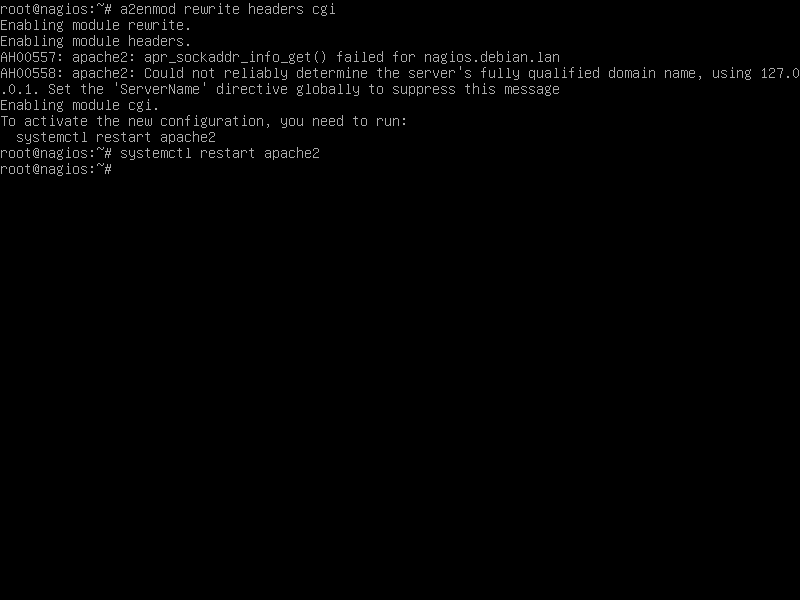
 
Enable apache modules

Finally, test if Apache web server default web page can be displayed in your client's browser by visiting your Debian machine IP address or domain name via HTTP protocol, as shown in the below image. If you don’t know your machine IP address, execute ifconfig or ip a commands.

http://192.168.1.14
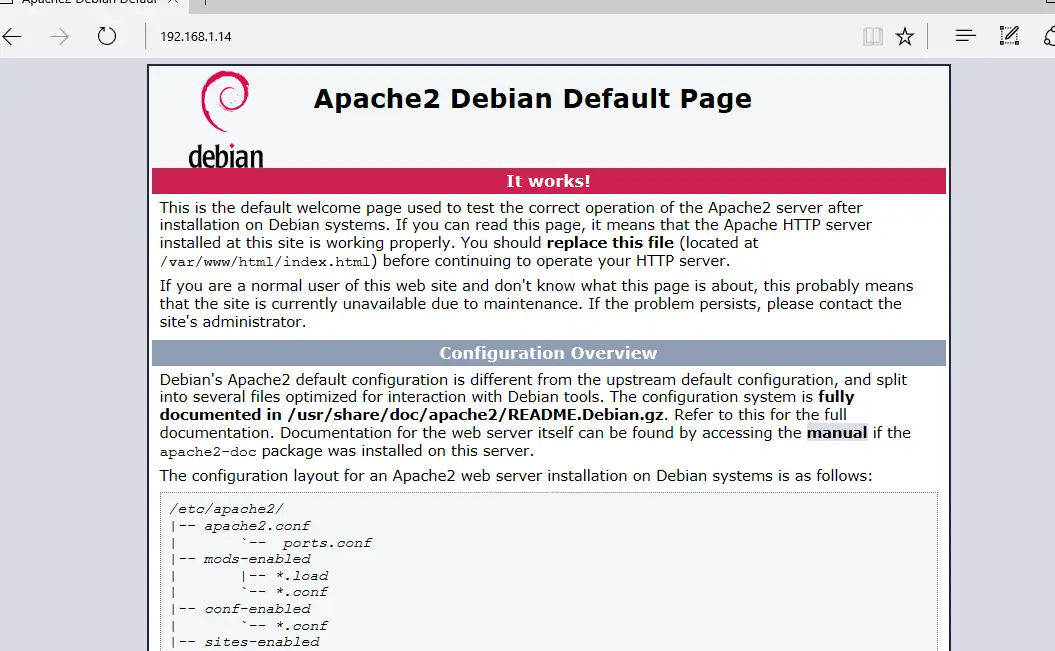
Apache default web page

In the next step, we need to make some further changes to PHP default configuration file in order to assure that the PHP timezone setting is correctly configured and matches your system physical location.  Open /etc/php/7.0/apache2/php.ini file for editing and assure that the following lines are setup as follows.

date.timezone = Europe/London
 
Replace the timezone variable accordingly to your physical time by consulting the list of timezones provided by PHP docs at the following link http://php.net/manual/en/timezones.php.

Restart apache daemon to apply the changes.

systemctl restart apache2
 
After you’ve made the required changes, create a php info file and restart apache daemon to apply changes by issuing the following commands.

echo ''| tee /var/www/html/info.php systemctl restart apache2
 
Check if the PHP time zone has been correctly configured by visiting the phpinfo script file from a browser at the following URL, as illustrated in the below image. Scroll down to the date setting to check the php timezone setting.

http://192.168.1.14/info.php
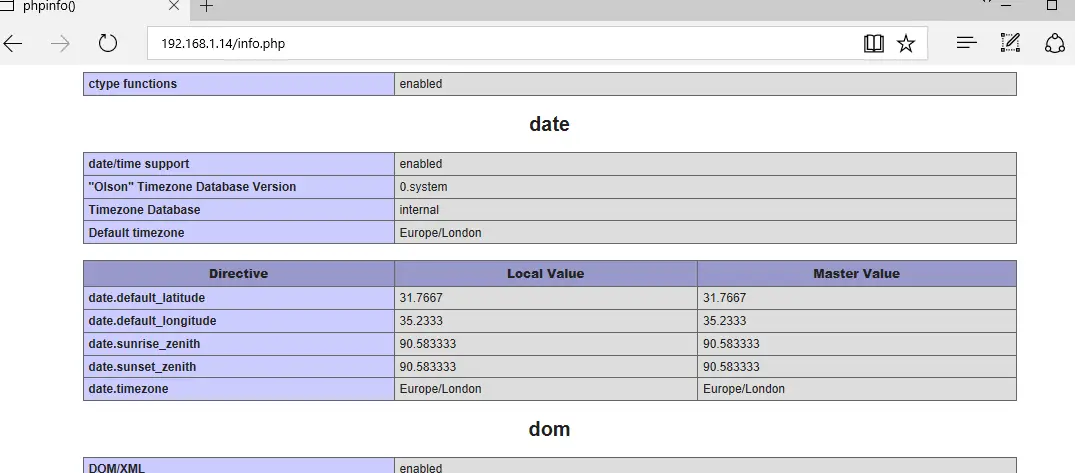
 Check PHP timezone setting

Install Nagios Core

Before downloading and compiling Nagios Core from sources, first make sure you install the following pre-required packages in your system, by issuing the below command.
apt install autoconf gcc libc6 make apache2-utils libgd-dev After all necessary dependencies and packages for compiling Nagios from sources are installed on your Debian system, visit Nagios official website at https://www.nagios.org/downloads/nagios-core/ and download the latest version of Nagios Core stable source archive by issuing the wget utility, as shown in following command excerpt.

wget https://assets.nagios.com/downloads/nagioscore/releases/nagios-4.3.4.tar.gz
 
After Nagios source tarball has been downloaded, extract the tar archive and enter the extracted nagios directory, with the following commands. Run ls command inside nagios extracted directory in order to list the source files.

tar xzf nagios-4.3.4.tar.gz cd nagios-4.3.4/ ls
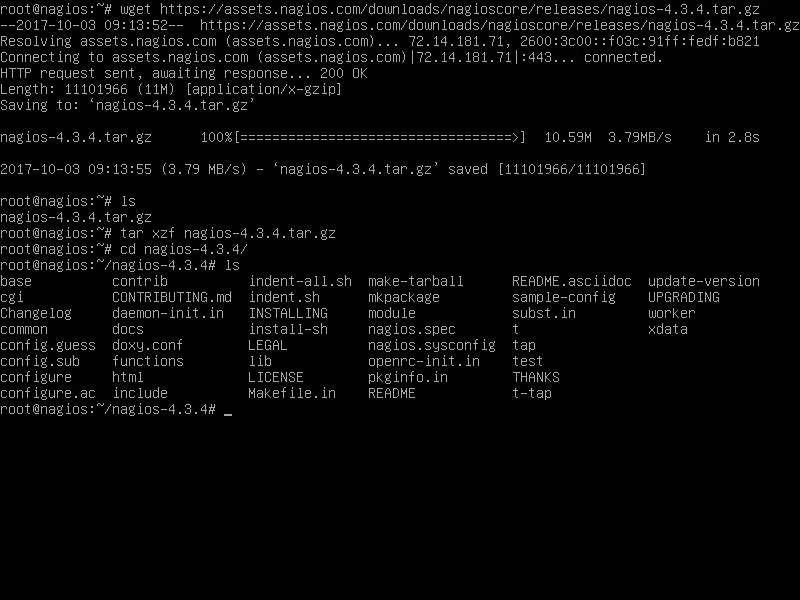
 
Download Nagios

While you are inside the Nagios extracted sources directory, start Nagios compilation process from sources by issuing the below commands. First, configure Nagios to be compiled with Apache web server http configuration path pointing to sites-enabled directory.

./configure --with-httpd-conf=/etc/apache2/sites-enabled
 
Next, compile Nagios by issuing the following command, as illustrated in the below images.

make all
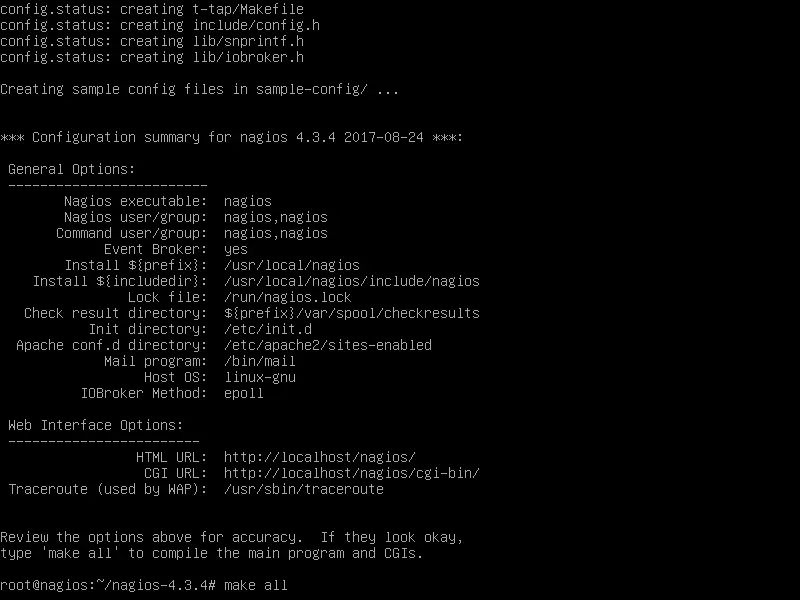
 
Configure and make Nagios
Build Nagios from source

Next, create the nagios system user and group and add nagios account to the Apache runtime user in order for the nagios user to have the required permissions to access web resources.

useradd nagios usermod -a -G nagios www-data
 
Now, start to install Nagios binary files, CGI scripts and HTML files by issuing the following command. The final output of the make install command should display the binary locations, as shown in the below image.

make install
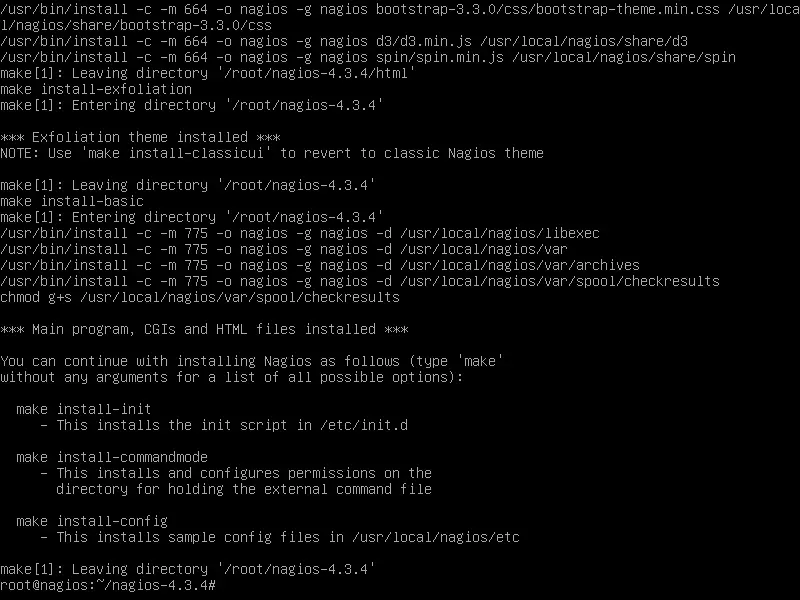
 
Installcompiled Nagios files
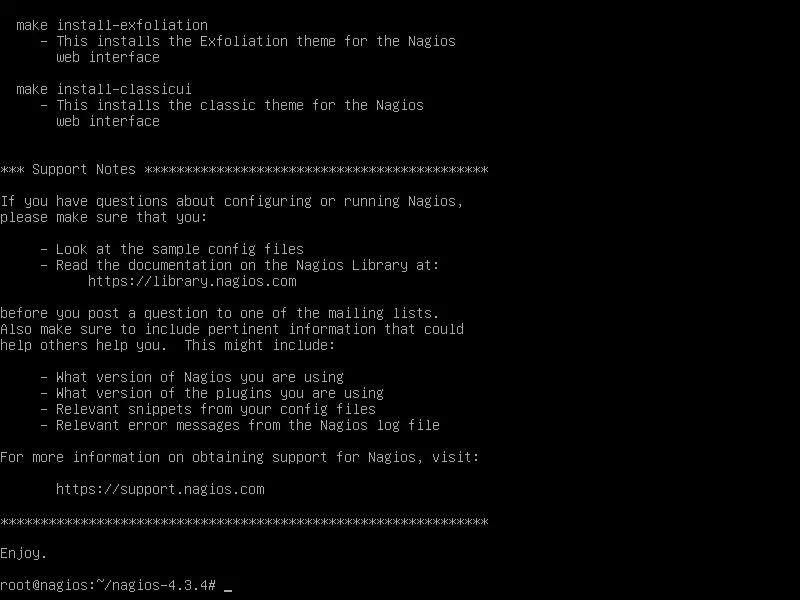
Next, install Nagios daemon systemd init files and enable nagios service system-wide by issuing the following commands.

make install-init systemctl enable nagios.service
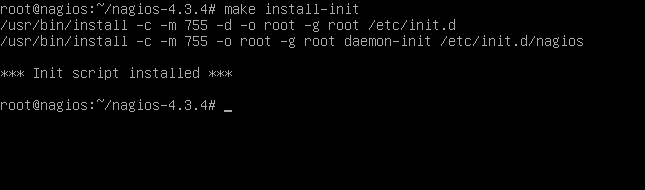
 
Install Nagios init files
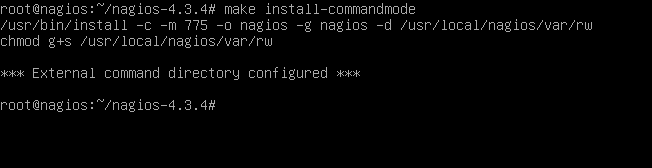
Also, install and configure Nagios external command file by running the below command.

make install-commandmode
 
Install Nagios commandmode
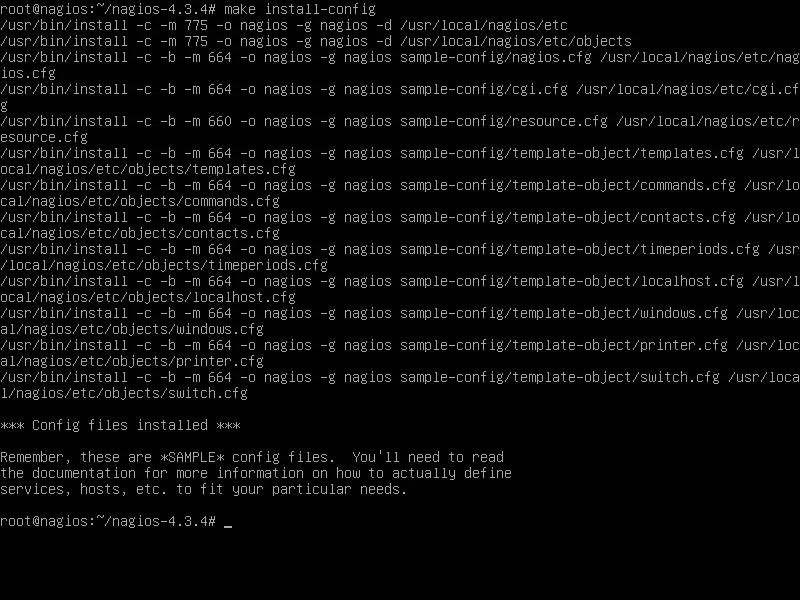
Next, run the following command in order to install Nagios sample configuration files which are required by Nagios daemon to start and operate properly.

make install-config
 
Install Nagios sample configuration files
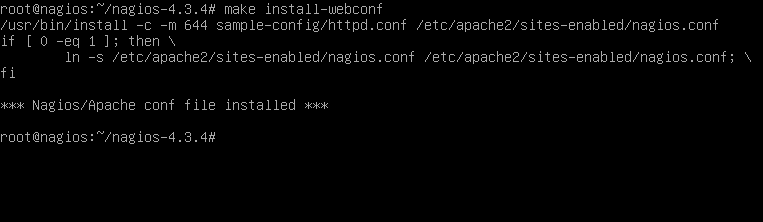
Finally, install the Apache web server configuration file for Nagios, which will be located in /etc/apacahe2/sites-enabled/ directory, by executing the below command.

make install-webconf
 
Install Nagios apache web config
Create the nagiosadmin user account with the corresponding password required by Apache web server to be able to perform log in to Nagios web tool by issuing the following command.

htpasswd -c /usr/local/nagios/etc/htpasswd.users nagiosadmin
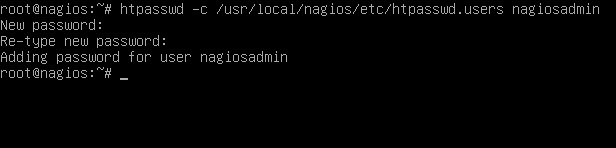
 
Create a htpasswd file for Nagios

In order to access Nagios web panel, first, restart Apache HTTP server and start Nagios service by issuing the following commands.

systemctl restart apache2 systemctl start nagios
 
Then, log in to Nagios Web Interface by opening a browser and visiting your server’s IP address or domain name or FQDN and append /nagios URL path via HTTP protocol, as illustrated in the below screenshots. Use the nagiosadmin user with the password configured earlier for this user in order to login to Nagios web interface.
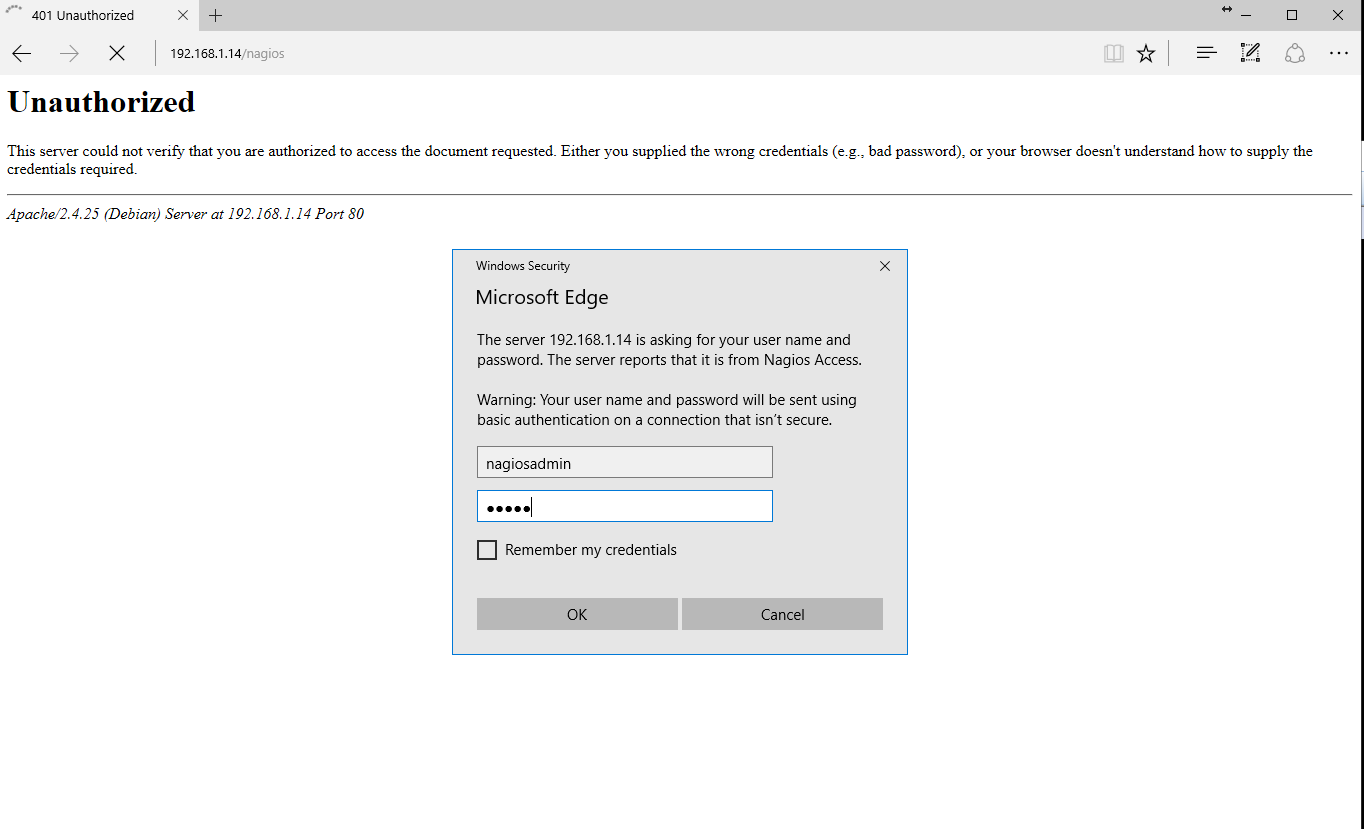
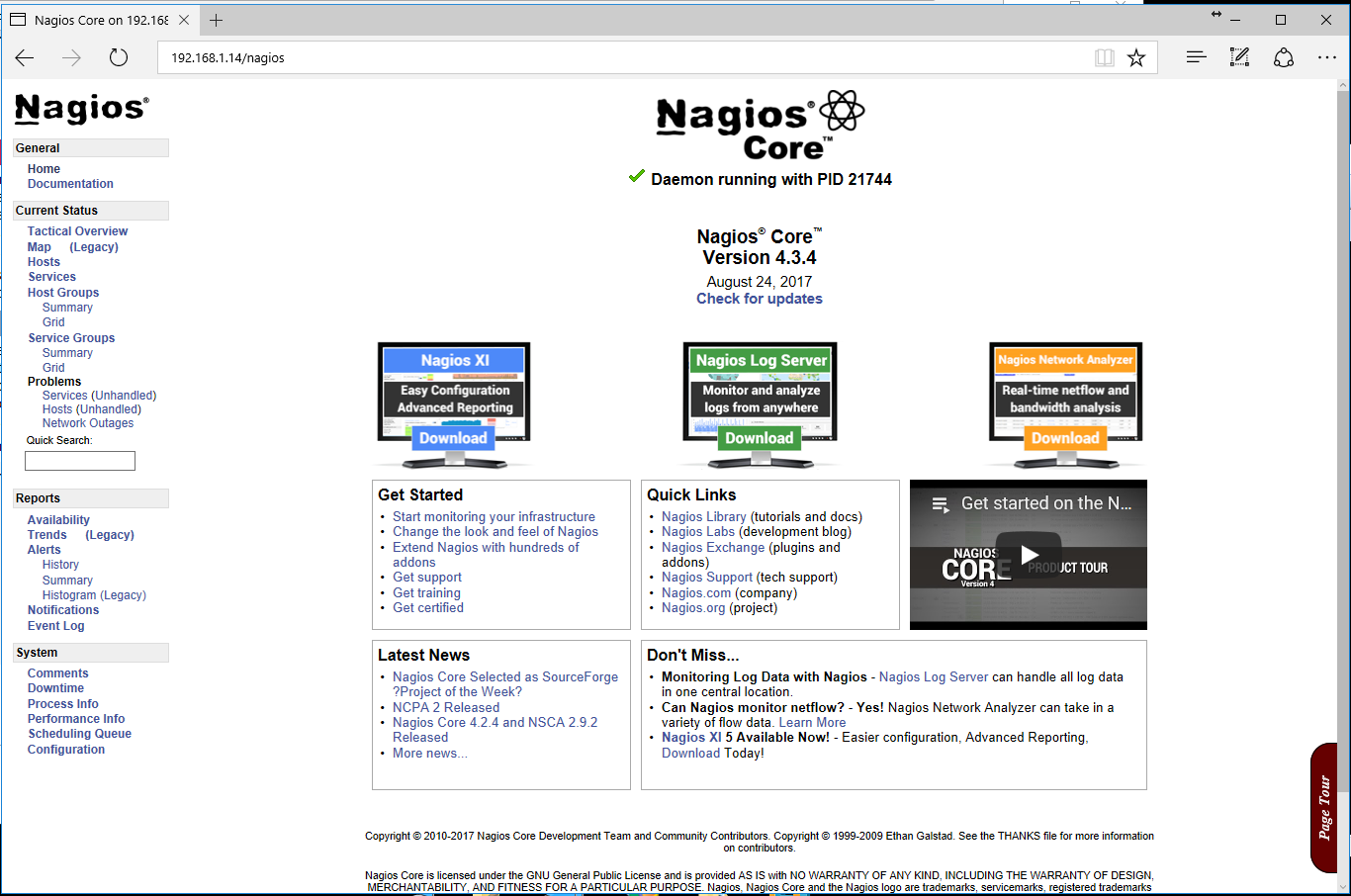
Login to Nagios


Nagios Dashboard
 

.

15dias (4) agenda 2023 (1) Algo que leer (269) Android (2) Angular (2) Apache (6) API (1) Arte y Cultura (11) Artes Marciales (10) Astro (1) Banner (1) Base de datos (38) Batalla Cultural (5) Big Data (12) Budismo (4) cabala judia (2) Calculo Asistido por computadoras (2) Canaima (6) Caos (1) Ceo (1) ciencias (3) Cine (1) Cobol (12) Cobra Kai (1) Codigo Linux Documental (2) Computación (4) Computación forense (14) Configurando Samba (1) Conocimiento (1) Consola (8) contenedores (10) cosmo (2) Criptomonedas (3) Cultura (1) Cursos (16) Darkweeb (3) Data Mining (1) Debian (18) Deep Learning (2) DeepWeb (7) demografia (9) Deporte y Recreación (9) Deportes (10) desclasificados (8) Desktop (1) developers (1) DevOps (1) Docker (12) Document (1) Ecología (6) Editor (3) Editores (4) Educacion y TIC (31) Electronica (2) Empleos (1) Emprendimiento (7) Espiritualidad (2) estoicismo (4) Eventos (2) Excel (1) Express (1) fedora (1) Filosofía (25) Fisica (1) Flisol 2008 (3) Flisol 2010 (1) Flisol 2015 (1) Flutter (1) framework (3) Funny (1) Geografía (1) Gerencia y Liderazgo (72) Gestor de Volúmenes Lógicos (1) Git (7) GitHub (8) Globalizacion (5) gnu (28) Go (1) gobiernos (2) golang (2) Google por dentro (1) GraphQL (2) gRPC (1) Hackers - Documental (8) Hacking (31) Historia (3) howto (189) html (1) IA (22) IntelliJIDEA (1) Internet (6) Introducción a los patrones (2) J SON (1) java (58) java eclipse (4) javaScript (9) JDK (1) jiujitsu (4) Json (1) Junit (1) kali (39) kernel (2) Kotlin (1) Laravel (2) Latin (1) lecturas (2) LIbreOffice (1) Libros (4) Linux (49) Linux VirtualBox (1) Literatura (1) Machine Learning (2) Manuales (42) mariaDB (2) Markdown (4) Marketing (1) Matando ladilla (9) Matematicas (3) Matematricas (1) Math (1) maven (1) metodos https (1) MkUltra (1) Modelos (1) MongoDB (17) Multimedia (1) Musica (1) mvc (2) Mysql (22) MySQL Workbench (1) Nagios (2) Naturismo (1) NextJS (2) node (5) Node.js (6) NodeJS (10) NoSQL (1) npm (1) Oracle (11) Oracle sql (10) Php (4) PL/SQL (2) Plsql (1) PNL (1) Poblacion (2) Podman (1) Poesia (1) Politica (5) Política (1) Postgresql (14) PowerShell (1) programacion (88) Psicologia (11) Python (7) React (4) Recomiendo (1) Redes (31) Redis (2) Religion (2) REST (2) Rock (1) Rock/Metal Mp3 (2) RUP (1) Salud (5) sc:snap:android-studio (1) sc:snap:datagrip (1) sc:snap:gitkraken linux (1) Seguridad (18) Seguridad con Gnu Privacy (2) Seo (1) simulaEntrevistas (10) simularExamen (10) Sistemas Operativos (69) SOAP (1) Sociedad (5) Software Libre (169) Soporte Tecnico (12) Sphinx (1) spring (1) spring boot (12) SQL (4) SQL en postgreSQL (44) Taekwondo (11) Tecnologia (5) Tecnología (27) Templarios (5) Tendencias (1) Tensorflow (4) Thymeleaf (1) Tomcat (2) Tor (9) Trialectica (3) TYPEACRIPT (1) Ubuntu (5) unix (2) Vida activa (1) Videos (11) Videos Educativos (10) Vim (1) Viral (3) Visual Studio (1) wallpaper (2) web (1) Wifi (2) Windows (3) WWW (2) Xrandr (1) Zero Trust (2)

Sabiduria Justicia Templanza Coraje.

Hay que contemplar las potenciales consecuencias de nuestros planes, para impedir que nos sorprendan. De esta manera, tendremos más control sobre las situaciones difíciles.


Powered by

Moleculax es un blog de ciencia, biología, astronomía, tecnología y reflexiones sobre el futuro de la humanidad. Explora ideas innovadoras, descubrimientos científicos y conocimientos que inspiran la curiosidad y la imaginación. ¿Cómo saber si te han bloqueado en WhatsApp?, ¿COMO PROGRAMAR?, דודו פארוק, ¿QUES ES estructurada,modular, MongoDBSpain CheetSheet, ORIENTADA A OBJETOS?, Bases de datos estáticas, base de datos dinamicas bases de datos nosql, estructuras de base de datos, Bases de datos de texto completo, base de datos gerarquicas HTML, CSS, XML, JavaScript, mysql, oracle, postgresql, C, C#, php, java, python, liderazgo, libros, books, informix, ¿COMO REPARAR PAQUETES ROTOS EN DEBIAN?, REPARAR paquetes ROTOS ubuntu gerencia, COMO APRENDER laravel, ACTIVAR wifi en CANAIMA, exotics, exoticas, COMO APRENDER MONGODB, agapornio, agapomis, seguros, ganar dinero, bitcoin, freeBitcoin invertir en bolsa, marketing online, ofertas de coches Описание Блога Moleculax Moleculax — это цифровое эссе, в котором структурированное мышление встречается с глубокой интроспекцией. Наш блог исследует архитектуру знаний: от технических тонкостей разработки программного обеспечения до этических основ и философии. Ключевые Темы: Разработка и Технологии: Программирование, базы данных (SQL, NoSQL), Big Data, Node.js, Java. Наука и Мышление: Астрономия, биология, научные открытия, а также такие философские направления, как Стоицизм. Этика и Будущее: Размышления о развитии человечества, моральные принципы в технологиях и этические вызовы. Наша миссия: Развивать интеллект, который не только решает проблемы, но и предотвращает их с мудростью. Moleculax 是一个关于科学、生物学、天文学、技术以及人类未来思考的博客。它探索创新的理念、科学发现和能够激发好奇心与想象力的知识。 如何知道你在 WhatsApp 上被拉黑?如何编程? דודו פארוק,什么是结构化、模块化、面向对象?MongoDBSpain 速查表,静态数据库、动态数据库、NoSQL 数据库、数据库结构、全文数据库、层次型数据库。 HTML、CSS、XML、JavaScript、MySQL、Oracle、PostgreSQL、C、C#、PHP、Java、Python,领导力、书籍、Informix。如何修复 Debian 中损坏的软件包?修复 Ubuntu 损坏的软件包,管理,如何学习 Laravel,如何在 Canaima 激活 WiFi,异域、奇异,如何学习 MongoDB,爱情鸟、保险、赚钱、比特币、FreeBitcoin、投资股票市场、网络营销、汽车优惠。 Moleculax 博客描述: Moleculax 是一篇数字随笔,在这里结构化的思维与深刻的自省相遇。我们的博客探索知识的架构:从软件开发的技术细节到伦理基础与哲学。 核心主题: - 开发与技术:编程、数据库(SQL、NoSQL)、大数据、Node.js、Java。 - 科学与思维:天文学、生物学、科学发现,以及诸如斯多葛主义等哲学流派。 - 伦理与未来:关于人类发展的思考、技术中的道德原则与伦理挑战。 我们的使命:培养一种不仅能解决问题,而且能以智慧预防问题的智能。